
Hi All,
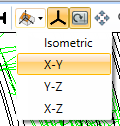
When using the 3D layout I often end up rotating the model and changing the zoom. I know that there is a button in the ribbon to reset the zoom, but there doesn’t seem to be one to reset the rotation. So far my work around is to go into the 3d Layout settings and manually reset the rotation of each axis. I just wanted to make sure I hadn’t missed a tick for resetting the rotation such as a hot key or a hidden button somewhere.
Thanks,
Pete