I would like to trace the marginal and chief rays in the 3D viewer. Is there a way to do this?
Thank you.


I would like to trace the marginal and chief rays in the 3D viewer. Is there a way to do this?
Thank you.
Best answer by David
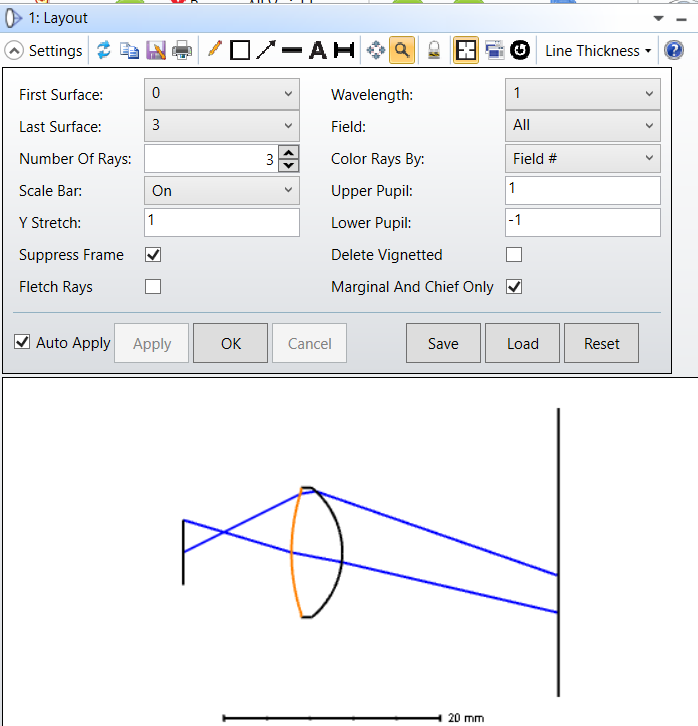
Chandan is correct in that you can pick out the marginal and chief rays from the 3D viewer, but there is no way that I know of to plot only those.
However, the 2D layout does have the option to plot only the marginal and chief rays:
Enter your E-mail address. We'll send you an e-mail with instructions to reset your password.


Do not provide any information or data that is restricted by applicable law, including by the People’s Republic of China’s Cybersecurity and Data Security Laws ( e.g., Important Data, National Core Data, etc.).
不要提供任何受适用法律,包括中华人民共和国的网络安全和数据安全法限制的信息或数据(如重要数据、国家核心数据等)。