Solved

Suspect Bug: Go To Surface

  • May 29, 2025
  • 18 replies
  • 363 views

Alberto.Donazzan
Ultraviolet

Maybe it’s just me, but I am no more able of opening the “Go To Surface” popup window from any Editor.
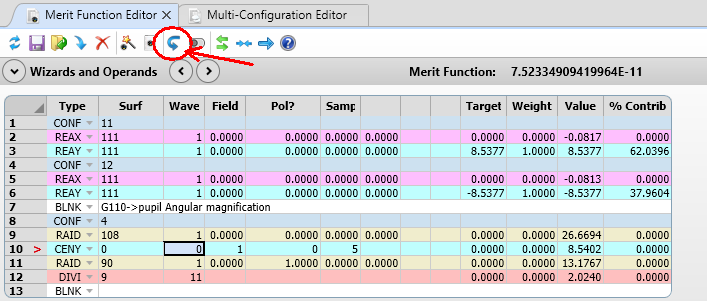
The following does not come up (image taken from Help file):
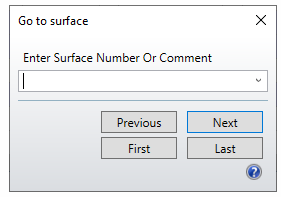
I am using opticStudio version 2025 R1.00


Best answer by Allie

Hi all! I am happy to report that the offline help option I mentioned in my previous post will be made available in 2026 R1 which should be released in the first half of next year :). 

18 replies

Alberto.Donazzan
Ultraviolet

It seems this bug has been fixed in version 2025 R2.00.

Too bad no Zemax staff member is spontaneously reporting about these bugs or about their resolutions (see also this thread). They seem to me pretty noticeable during standard sw use.


David.Nguyen
Luminary
Forum|alt.badge.img+2
  • Luminary
  • August 20, 2025

Now that I recently upgraded to 2025 R1.00 and faced a number of bugs, I share your frustration ​@Alberto.Donazzan.

@Allie would it make sense to have a section of the Community dedicated to bugs? I see there’s a tag already: [Bug report] but its not obvious how to search this tag and it lacks organization. It would be nice if we could see if the bug is confirmed (by another user perhaps) and fixed. And if it is, at which version was it fixed?

Take care,


David


MichaelH
Ansys Staff
Forum|alt.badge.img+2
  • Ansys Staff
  • August 20, 2025

Hey Alberto,

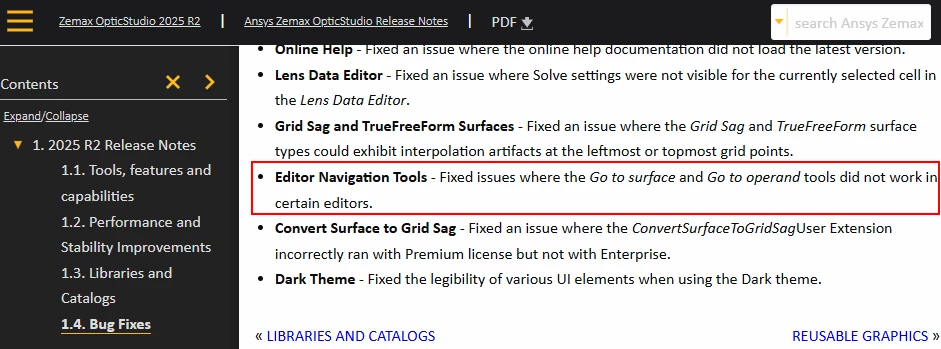
The Bug Fixes have moved recently to the Ansys Help portal (it would be nice if OpticStudio included these directly in the software like they do with What’s New).  The issue with the Go to surface and Go to operand dialog boxes were marked as fixed in the 25R2:

https://ansyshelp.ansys.com/account/secured?returnurl=/Views/Secured/Zemax/v252/en/OpticStudio_release_notes/OpticStudio_release_notes/topics/bug_fixes.html

To get to any of the Bug Fix reports, once you’re logged into https://ansyshelp.ansys.com, navigate to Zemax OpticStudio, click on the desired release in the upper left corner of the screen, click on the Release Notes link, then click on Release Notes again and then select Bug Fixes


Alberto.Donazzan
Ultraviolet

Hello ​@MichaelH ,

thank you for pointing this out to me.

I am not yet used to the Ansys support platform, which, imho, looks anything other than straightforward to a new user. Anyway, I’ve immediately boomarked your links.


Alberto.Donazzan
Ultraviolet

@MichaelH, I have a side question about the online Help file: do you confirm that to access the online Help file I am forced to log in to the Ansys platform every day (username, password, verification code by email) ?

Or is it just me? I find this quite annoying.


Allie
Zemax Staff
Forum|alt.badge.img+2
  • Zemax Staff
  • August 22, 2025

Hi all! Thanks for tagging me in this one, David. 

Regarding your question about creating a section for bug reports in the forums, I don’t think that’ll be possible. I am working on re-aligning our forum content with the Ansys web structures, and there isn’t a good place for bug declarations on the Ansys Learning Forums. That said, I agree that we could use a more formalized approach to high-impact active bugs like a UI one. We will occasionally create a post for big bugs on this forum (which is when I implement the Bug Report label) but we don’t have a systematic approach for determining which bugs are worth bringing to the full community. Some options I’ve seen from other Ansys teams are to include them as a small article within ACSS, or to add the information to AnsysGPT. I’ll look into options and connect with the product team to see what we can do.

In the meantime, the most effective way to submit or check on a bug is via a support case. If you purchased your product directly with Ansys, you can create a case via the Ansys Customer Portal (ACSS). If you purchased your product through a Channel Partner, submit your inquiry to them.

For bugs that were fixed, they are available on the Release Notes via the Ansys Help page, as Michael pointed out. We are working on some in-product UI updates to make it easier to access the Release Notes, so stay tuned for that. 

Finally ​@Alberto.Donazzan - regarding your question about the Help file - if you click a question mark inside of the Zemax software, you will be taken to the private version of the Zemax OpticStudio Help. That does require a login through the Ansys SSO system. We maintain a private version of the help in case there is any proprietary or export-restricted data in the docs. A scrubbed and therefore un-restricted version of the Help file is also available here:  Ansys Help. The un-restricted link does not require a login. You should be able to find most of the same data in the public version as the private one at this time. 


Alberto.Donazzan
Ultraviolet

Dear Allie, thank you for taking the time to give us some insights about the bug reporting.

Regarding the Help file, personally I find it quite cumbersome to have an online Help requiring to go through such a tedious login process every day. In my opinion the Help file should be part of the software; it must be, as working with OpticStudio would be impossible without it. Being the Help file an essential part of the software, it should be accessible altogether. Why should I have to demonstrate I am an authorized Ansys customer while my OpticStudio instance is already up and running and therefore my paid licence has already been validated through the Ansys servers?

Both the pdf version and the unrestricted online version cannot hold as substitutes, as the link to in-context question marks is completely lost. Imho, the present situation is affecting usability a lot.

I personally see two solutions:

  1. Restore the offline chm file.
  2. Subject the access to the Help file to an automated OpticStudio licence verification, within the software. 

Of course, I am aware both the above solutions may have related difficulties or weaknesses. Or even, I might be the only OpticStudio user complaining for the present situation.
Thank you for your support.


Allie
Zemax Staff
Forum|alt.badge.img+2
  • Zemax Staff
  • August 25, 2025

Hi ​@Alberto.Donazzan - thanks for the reply! Actually, we have heard this kind of request a few times from other users, so I appreciate you taking the time to articulate why you’d like it yourself.

We cannot reinstate the original CHM file, but there is another option we’re working on. Ansys offers an offline help tool via the Download Center. We are working on getting Zemax’s help files installed into that program. Once set up, you should be able to use it in the same way as the original CHM file. It will provide offline & contextual help. 

The work on the offline help is part of the same initiative as the work to make the Release Notes easier to find. I don’t have a release number for that initiative, yet, but I’ll check back in on this thread when it’s released :).


Alberto.Donazzan
Ultraviolet

Dear ​@Allie,

I am pleased you’re working on a possible solution. I am looking forward to it. 

Thank you


David.Nguyen
Luminary
Forum|alt.badge.img+2
  • Luminary
  • August 26, 2025

Thanks ​@Allie I’m also looking forward to this one.

Take care,


David


Allie
Zemax Staff
Forum|alt.badge.img+2
  • Zemax Staff
  • Answer
  • November 19, 2025

Hi all! I am happy to report that the offline help option I mentioned in my previous post will be made available in 2026 R1 which should be released in the first half of next year :). 


Allie
Zemax Staff
Forum|alt.badge.img+2
  • Zemax Staff
  • March 10, 2026

Hi ​@David.Nguyen , ​@Alberto.Donazzan , ​@Sean Turner  (tagging you all since you liked my post on this topic):

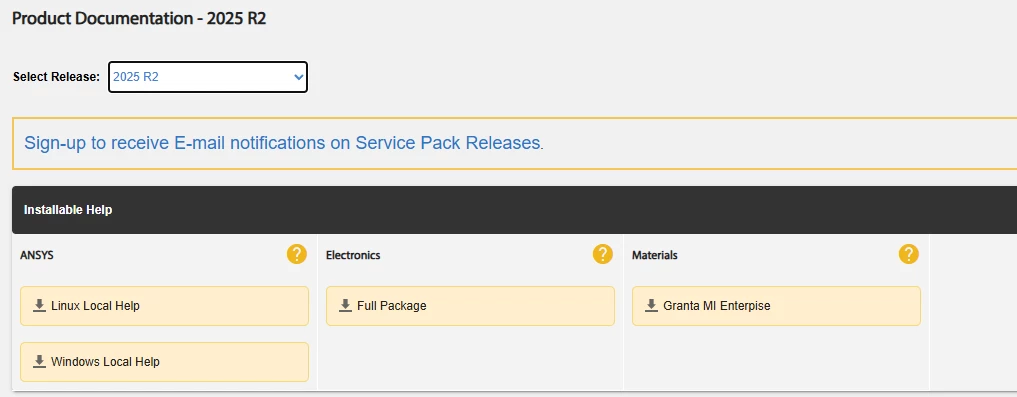
I am happy to report that Zemax OpticStudio 26 R1 went live today and includes contextual offline help capabilities. We joined with other Ansys products within the Ansys Help Viewer tool, which is available as a separate download on the Ansys Downloads page. To set up the tool, you will need to follow these simple instructions:

Installing and configuring Ansys Local Help for Zemax OpticStudio 2026+ – Ansys Optics

Let me know if you have any comments or questions!


Jeff.Wilde
Luminary
Forum|alt.badge.img+3
  • Luminary
  • March 10, 2026

Hi Allie,

I’ve been anxiously awaiting this feature!  The on-line help is rather annoying.

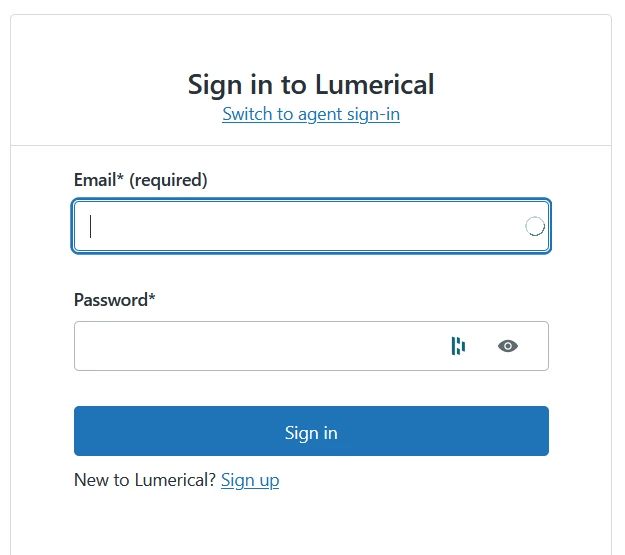
However, when I follow the link you posted above, I’m prompted to login to Lumerical.  Is this intended?  I would like to see what is required to set up offline help.

Thanks,

Jeff


Chris Normanshire
Zemax Staff
Forum|alt.badge.img+2

@Jeff.Wilde Sorry about that. Try the link again now.

Chris


David.Nguyen
Luminary
Forum|alt.badge.img+2

Hi ​@Allie and ​@Chris Normanshire 


Thank you so much far making this happening. I was getting tired of browsing the *.chm files from an old installation 😅

Our university seems to always be behind with the releases so I can’t test it right now unfortunately (I only have access to 2025 R2).

I will maybe email you about that…

Thanks again for the great work and take care,


David


Sean Turner
Fully Spectral
Forum|alt.badge.img+1
  • Fully Spectral
  • March 10, 2026

Thanks for this! I am going to check it out now. 

@David.Nguyen you may be in luck. The Windows Local Help seems to be available for 2025 R2. I have not tested this, but noticed the screenshot in the knowledgebase article ​@Allie shared had 2025 R2 as the release. 


Allie
Zemax Staff
Forum|alt.badge.img+2
  • Zemax Staff
  • March 10, 2026

Hi team! We loaded the OpticStudio help into the 25 R2 version of the Help Viewer for testing purposes, While it is available in that version, it will not be able to link to OpticStudio 25R2. In other words, if you click “help” in OpticStudio 25R2 it will point to the online help. There’s no way to change the configurations in that version. 

I’ll update my screenshots for clearer communication. Thanks for the heads-up!

By the way - we also fixed a bug in the online help files with the latest release. If you choose to point OpticStudio to the online help, then it should no longer require a login. 


Jeff.Wilde
Luminary
Forum|alt.badge.img+3
  • Luminary
  • March 10, 2026

Thanks Allie!  For me, the login step was the biggest nuisance (but the on-line response could also be sluggish).  Currently with 25R2, even after logging in, if I leave some help windows open overnight they automatically logout, so I have to start all over again.

Definitely looking forward to the latest release!

Thanks,

Jeff