
Question

Set boundaries on compensators with the Merit Function criteria for tolerancing

  • March 3, 2026
  • 3 replies
  • 42 views

superkraken

Good morning, good afternoon,

I am trying to set boundaries on longitudinal compensators on my tolerancing analysis with Monte Carlo runs. As I am using a Merit Function criterion, the boundaries (from what I understood), must be explicitely defined in the Merit Function tab with the PMLT and PMGT operands for each surface that acts as a compensator. I did set them, as you can see in the next screenshot.

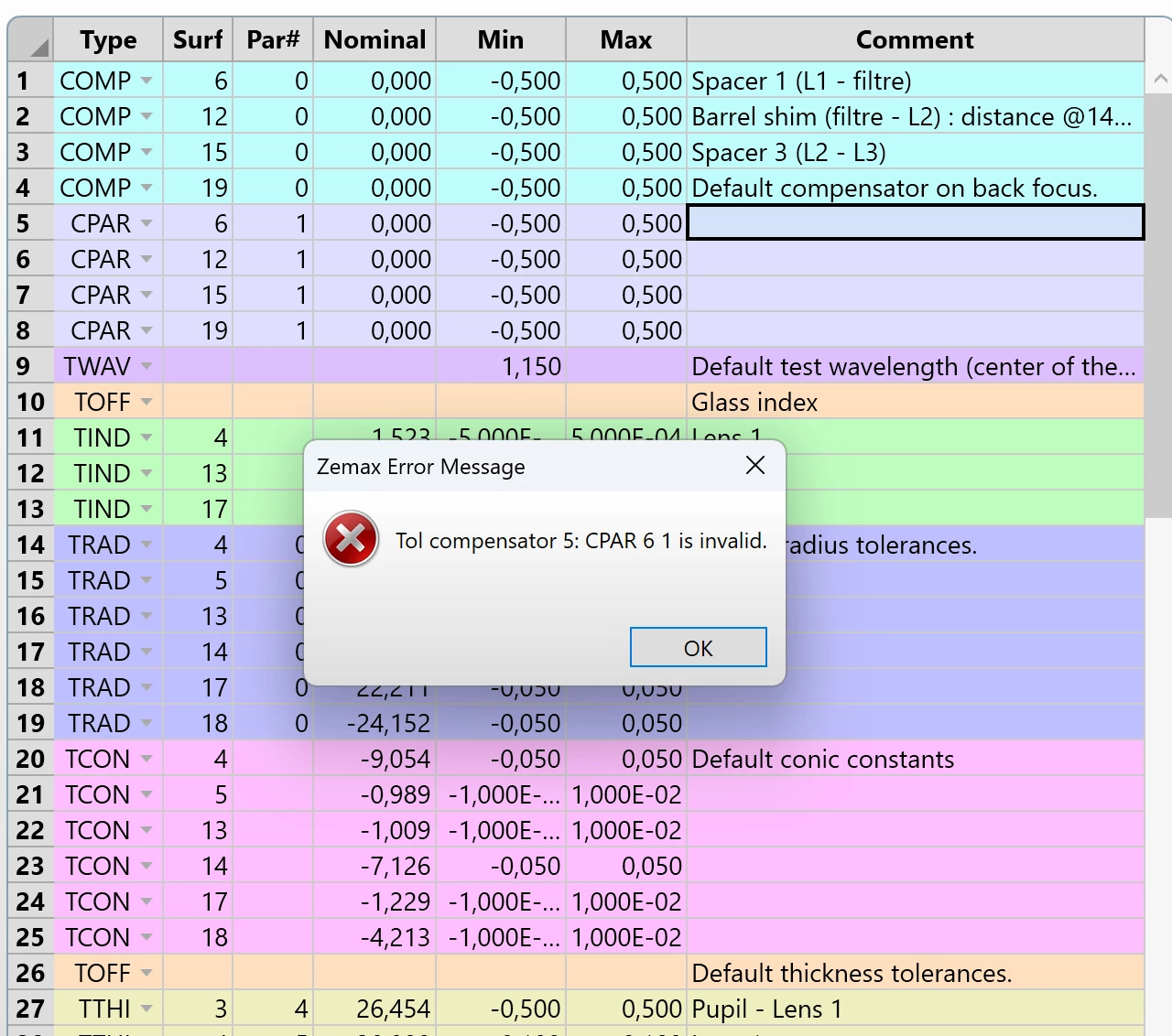
I also declared the compensators in the Tolerance Data Editor (2nd screenshot), by using the CPAR operand (I found a topic on the forums explaining that it was the method to follow). I declared the 4 compensators I wanna use (I would like to use the thickness of these surfaces as compensators), so I did use the #1 parameter. But when I try to run the tolerancing, the error message appears (CPAR 6 1 is invalid). Would you know where this problem comes from? Maybe I am not doing this the right way or there is another method to do so.

Help would be greatly appreciated!

Thank you very much :D
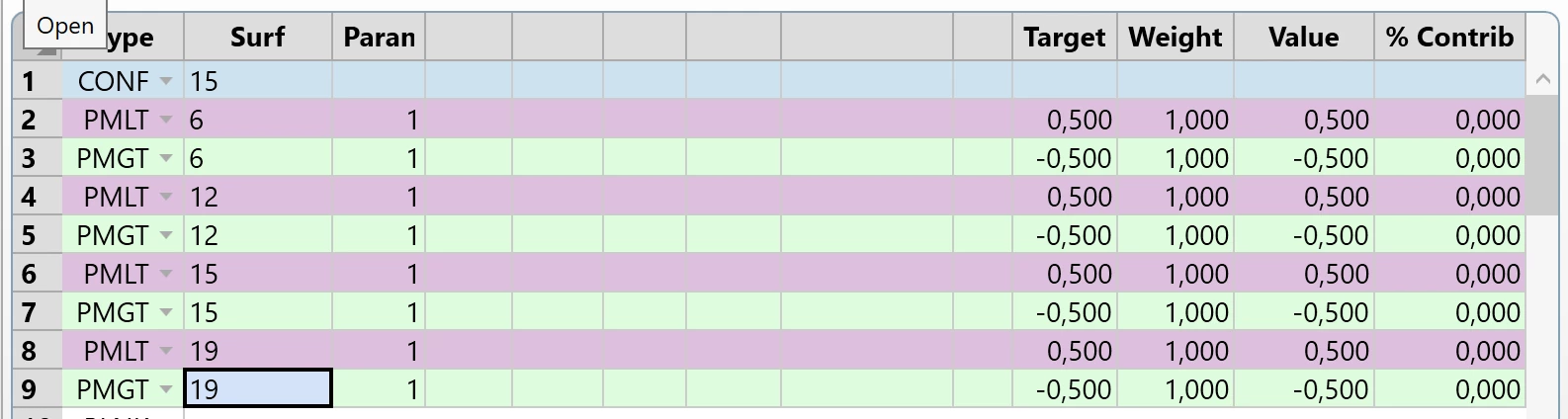
Merit function tab
Tolerance Data editor


3 replies

superkraken
  • Author
  • Monochrome
  • March 3, 2026

PS : For information, I also tried to suppress the 4 lines of COMP in the Tolerance Data editor, but to no avail...


Yang.Yongtao
Fully Spectral
Forum|alt.badge.img
  • Fully Spectral
  • March 6, 2026


 hi

 how about ignoring the CPAR in tolerance data editor?

since they are same in your  merit function.


Chris Normanshire
Zemax Staff
Forum|alt.badge.img+2

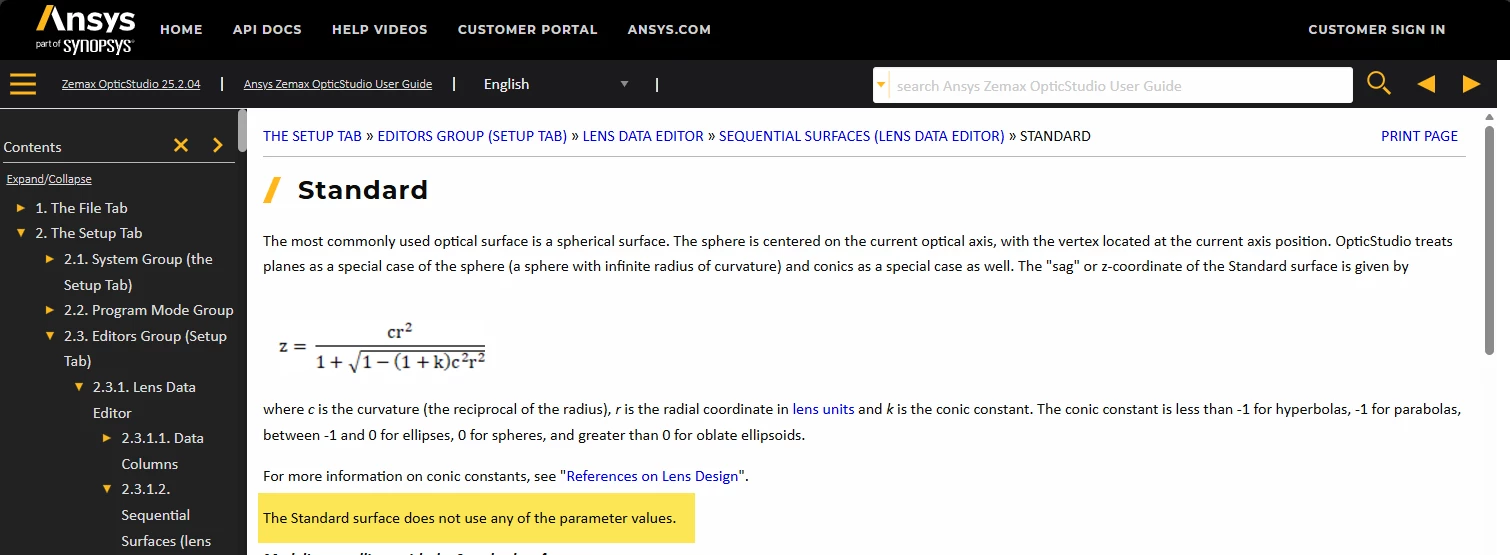
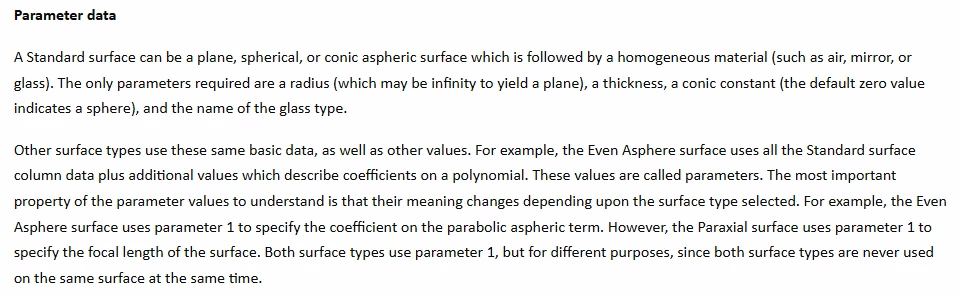
Hi ​@superkraken. Are the surfaces you are attempting to use as compensators Standard surfaces? If so, the reason you are seeing this error is because you are trying to use Parameter 1 as a compensator, but the Standard surface type doesn’t have any additional parameters. 
 

More complex surface types do have additional parameters that are used to define the surface sag, phase, etc. 

If you want to apply a compensator to the thickness of a surface you need to use the COMP operand with Code = 0, as with lines 1-4 in the screenshot of your Tolerance Editor. You should delete the CPAR operands (lines 5-8).

In the merit function, you can use CTGT and CTLT to places boundaries on the thickness of a surface.

You should delete the PMGT and PMLT operands from you merit function and replace them with CTGT and CTLT.

I hope this helps.

Chris