

Solved

Modeling imperfect retroreflector / Backscattering

  • February 10, 2026
  • 2 replies
  • 9 views

Jonathan C

Hello,

I need to model an imperfect retroreflector, such as those found on safety jackets or road signs, as shown in the picture below. I would like the retroreflection to be within a cone of angles ranging from 2 to 10 degrees from the source.
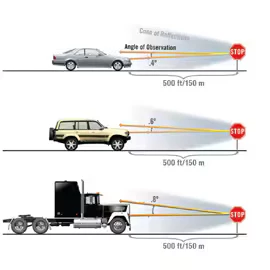
In Sequential mode, I discovered that we can add a retroreflector surface, but the beam still only reflects from the original source. I tried changing the scattering surface, but even when I used a Lambertian, Gaussian, ABg or BSDF and set the Scatter Fraction to 1, it still didn’t work. The rays still go back to where they came from.

In Non-Sequential mode, I managed to add a Lambertian, Gaussian or BSDF in the Scatter Model panel, but when I give an angle to the surface, there is still a specular (BRDF) effect. There is something to change here but I don’t know what nor how.

Is there a way to simulate such backscattering or retroreflection?

Thank you for you help
Best answer by David

Hi Jonathon,

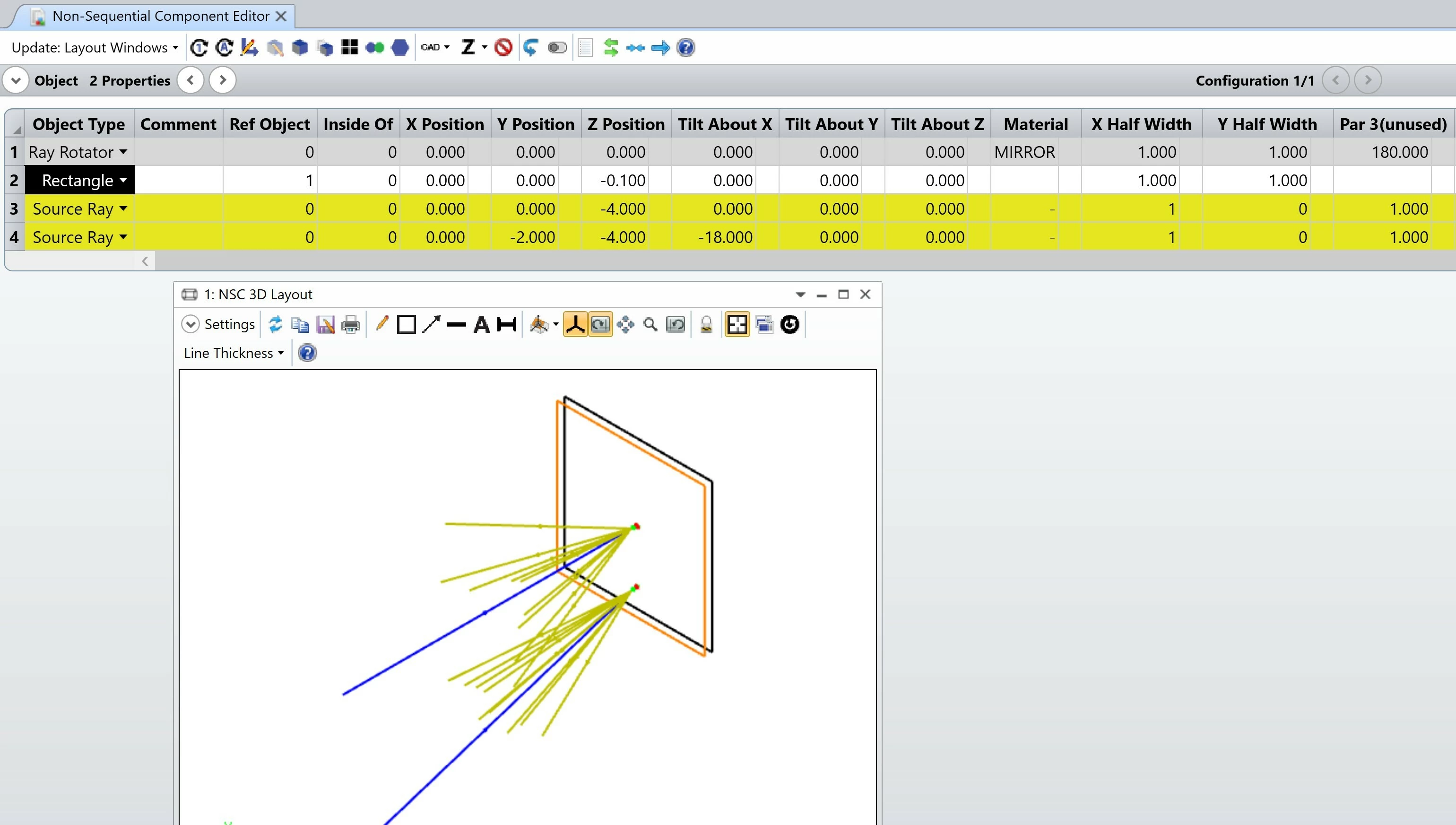
In nonsequential OpticStudio has an object called Ray Rotator. If you set the Z rotation at 180 degrees and the material to MIRROR, then the object becomes an ideal retroreflector. It will not accept a scatter model. (It has no faces.) However, you can place a rectangle object in front of it and assign that a scatter model. Since rays pass through it coming and going, for a setting of n Number of Rays to Scatter you will get n^2 rays. And the model will produce wider scattering than for a single pass. But it may serve your purpose.

I attach a ZAR made with OpticStudio 22 in a ZIP, which is the latest model to which I have access.


2 replies

David
Luminary
Forum|alt.badge.img+4
  • Luminary
  • Answer
  • February 15, 2026

Hi Jonathon,

In nonsequential OpticStudio has an object called Ray Rotator. If you set the Z rotation at 180 degrees and the material to MIRROR, then the object becomes an ideal retroreflector. It will not accept a scatter model. (It has no faces.) However, you can place a rectangle object in front of it and assign that a scatter model. Since rays pass through it coming and going, for a setting of n Number of Rays to Scatter you will get n^2 rays. And the model will produce wider scattering than for a single pass. But it may serve your purpose.

I attach a ZAR made with OpticStudio 22 in a ZIP, which is the latest model to which I have access.


Jonathan C
  • Author
  • Monochrome
  • February 16, 2026

Hi David,

Thank you very much this is exactly what I needed!