Question

How to uise NSC Quick Focus

  • February 18, 2026
  • 5 replies
  • 71 views

Forum|alt.badge.img

Dear members,

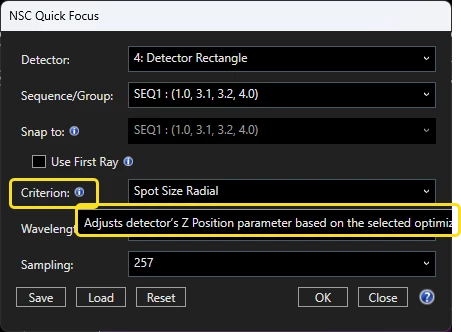
I am trying to use the NSC quick Focus button but an error occurs saying that there are not Sequence /groups available.

What is a sequence or group and how can I define it?


Thanks


Regards


Gabriele

5 replies

David.Nguyen
Luminary
Forum|alt.badge.img+2
  • Luminary
  • February 23, 2026

@Gabriele.Marchi


I am not totally sure how you get this error, but this is what I can say about how the Quick Focus is supposed to work.

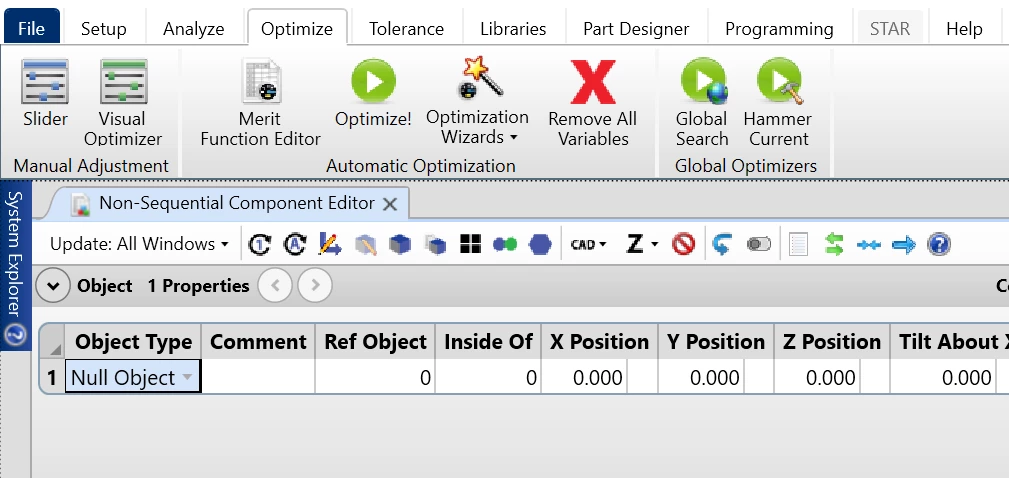
The Quick Focus is not a pure Non-Sequential (NS) feature. In a pure NS file, you won’t see the Quick Focus button.

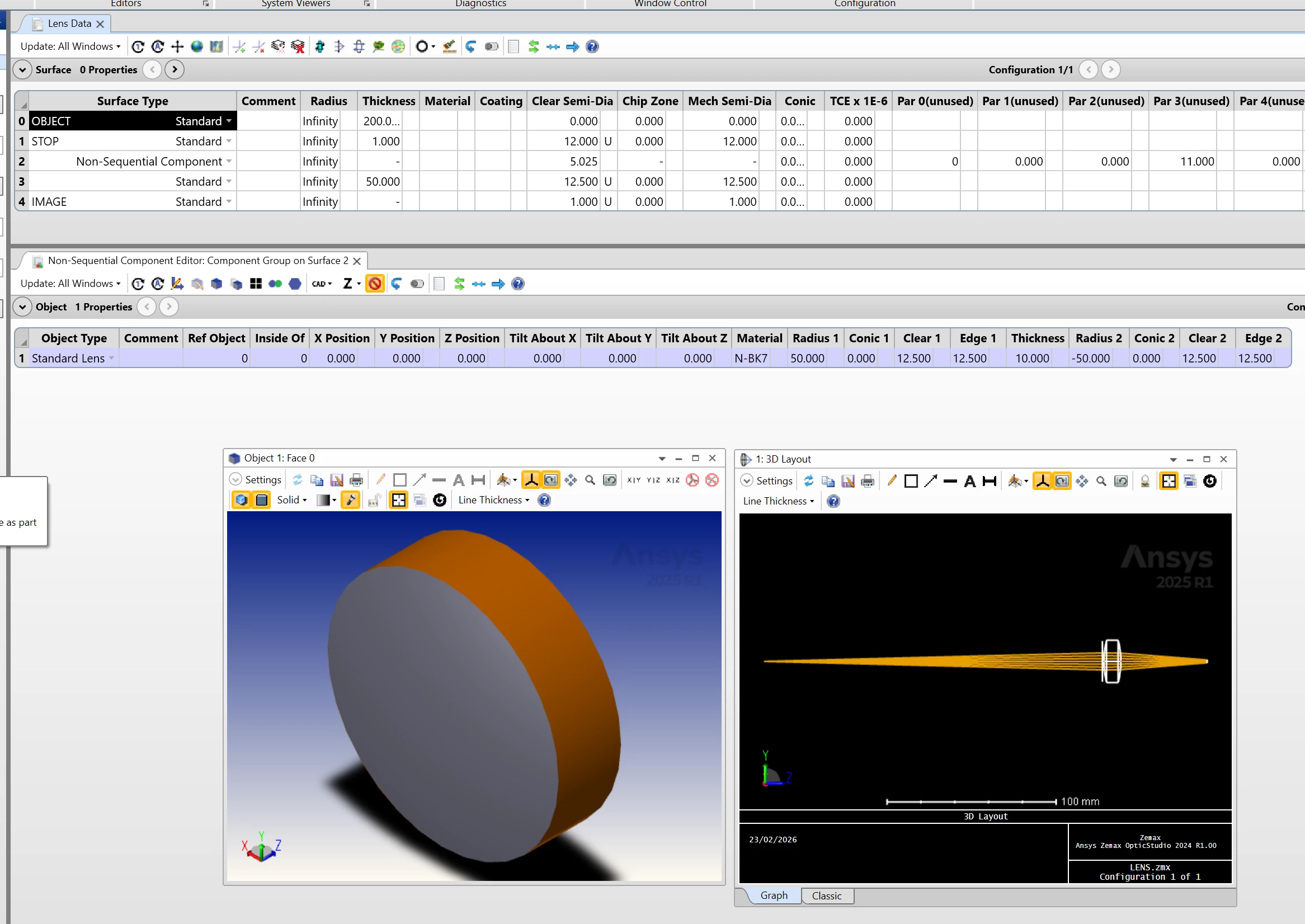
You can have the Quick Focus button in Sequential or Mixed mode. The latter is a mix of Sequential and NS. When you are in the Mixed case, you have a Sequential file, but it has a particular surface type called Non-Sequential Component. I made a dummy file (also attached to my answer), that looks like so:

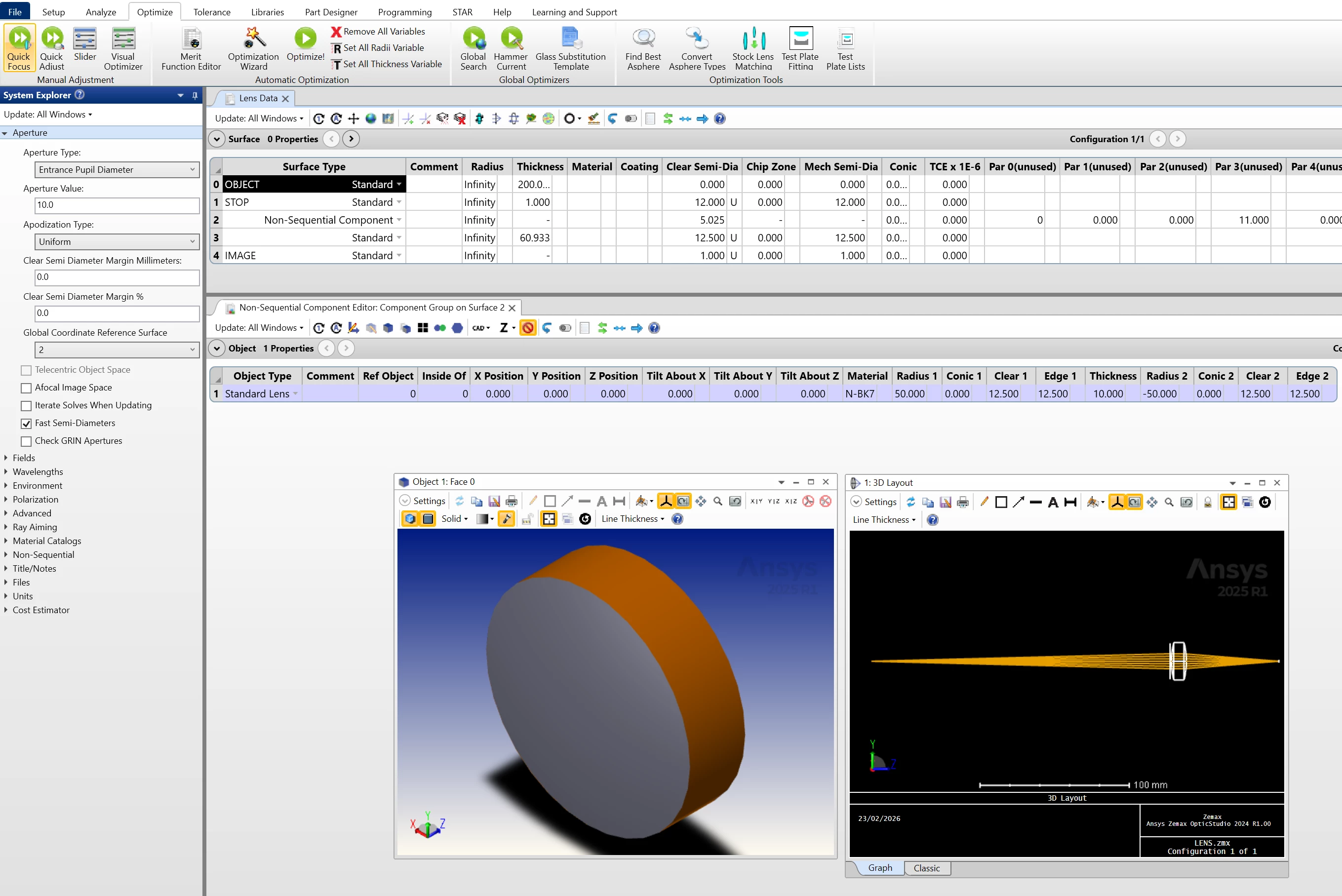
Its a Sequential model, but the lens was made in NS mode and is “imported” via the Non-Sequential Component surface. In this case, I can use Quick Focus:

I don’t know how you managed to get the Quick Focus with a pure NS file though.

Are you able to share your file with us for troubleshooting?


Take care,


David


Forum|alt.badge.img

Dear David,

Unfortunately I cannot share my file due to the company policy. But what I can say you is that I have a really all NS design and I see a NS Quick focus Button

Anyway I have found lately an option “Sequence selctor” (probably in the last release of Opticstudio Enterprise edition)  in the raytrace Analisys of the Analyze menu.

I send you in the attachment the symbol you should also see. In this way it seems yit is possible to sequentiate the non sequential Design and to use the NS quick focus. I think I have understood how to use this tool.

Sadly I have  not completely understood How can I select the parameter to change  to get to the focus. I want to change the Z-position of the detector but also when I select it as variable it doesn’t change. and all the other parameters of the detector (x,Y, rotation x and so on) change slightly…..(?🤔).

Do not worry if you can#t Help me (I think beacause it seems it is new for you) anyway thanks a lot.


Bests


Gabriele


Sean Turner
Fully Spectral
Forum|alt.badge.img+1
  • Fully Spectral
  • February 23, 2026

@David.Nguyen It looks like NSC Quick Focus is a feature introduced in 2025 R2.04.

NSC Quick Focus (Premium & Enterprise Editions)

Automatic and fast positioning of detectors now available in Non-Sequential Mode.

NSC Quick Focus brings automatic detector positioning to Non-Sequential Mode, expanding an established Sequential-mode capability into complex ray-traced optical systems. The tool determines the best detector placement by analyzing rays that follow selected optical paths and then automatically aligning the detector for focus, centering, and orientation, without requiring manual Merit Function setup.

Users can choose a specific ray sequence or a group of sequences to guide detector placement, providing flexibility across a wide range of system types and layouts. By accounting for only the intended ray paths, NSC Quick Focus helps prevent detector misalignment and ensures correct placement relative to the design intent. This is especially powerful in folded optical systems and systems with diffractive elements, where manually tracking and maintaining alignment becomes significantly more complex. As a result, setup time is reduced and real-world is more accurately represented in Non-Sequential Mode.

The algorithm supports imaging and diffractive systems with single or multiple wavelengths, sources and detectors, and allows positioning of intermediate detectors placed within the optical path. The tool operates quickly, positioning the detector at the optimal focus location while maintaining the correctness of the ray path used for alignment. When no true focus exists, such as in afocal systems, the detector is snapped to the selected optical sequence while preserving physical validity of the ray path.


David.Nguyen
Luminary
Forum|alt.badge.img+2
  • Luminary
  • February 24, 2026

@Gabriele.Marchi  and ​@Sean Turner 


My mistake, I should clearly upgrade to R2, sorry about that.

Seems like an interesting feature though.

Take care,


David


Chris Normanshire
Zemax Staff
Forum|alt.badge.img+2

Hello ​@Gabriele.Marchi . NSC Quick Focus should automatically adjust the X/Y/Z position and tilt of the relevant detector to achieve the best focus. No need to apply variables in the NSCE. You do need to use the sequence selector first to define ray sequences that pass through your system and end on the detector in question.


I’d recommend checking out the Help File entries for both the Sequence Selector and NSC Quick Focus tools.

We are also working on some new Knowledge Base articles to provide examples and additional guidance on using these new tools.