Question

DLS automatic mode

  • October 11, 2026
  • 2 replies
  • 32 views

Hi, I am using DLS local optimisation with automatic mode (8 cores) to optimise some designs, but the optimiser stopping at 1500 cycles for some of them. According to the documentation, using automatic mode causes the optimiser to run until no progress is made.

I'm not sure whether anyone else has encountered this cycle limit. I am wondering if there is an internal limit that prevents the optimiser from exceeding 1500 cycles.


2 replies

David.Nguyen
Luminary
Forum|alt.badge.img+2
  • Luminary
  • October 12, 2026

​@Ai Ping.Yow 


The automatic mode doesn’t have a hard limit. It is trying to reach the local minimum of your Merit Function, and when it cannot improve anymore, it stops “automatically”.

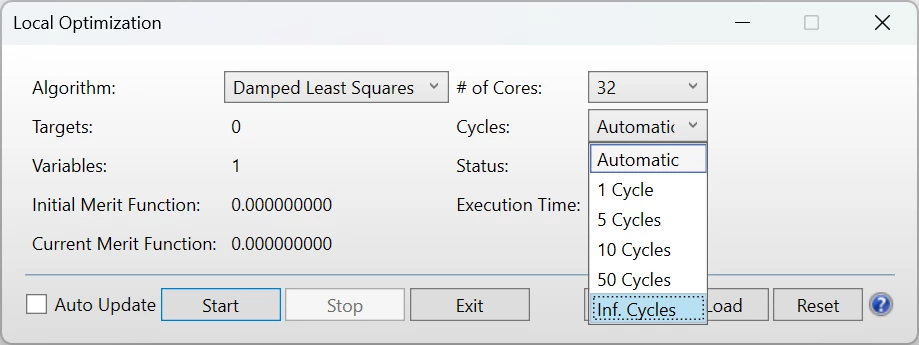
If you don’t want it to stop automatically you can also choose Inf. Cycles in the Cycles drop-down menu:

But keep in mind the DLS is a local optimizer, it will not help you reach other (potentially better) minima, and running it for longer (or more cycles) won’t help.

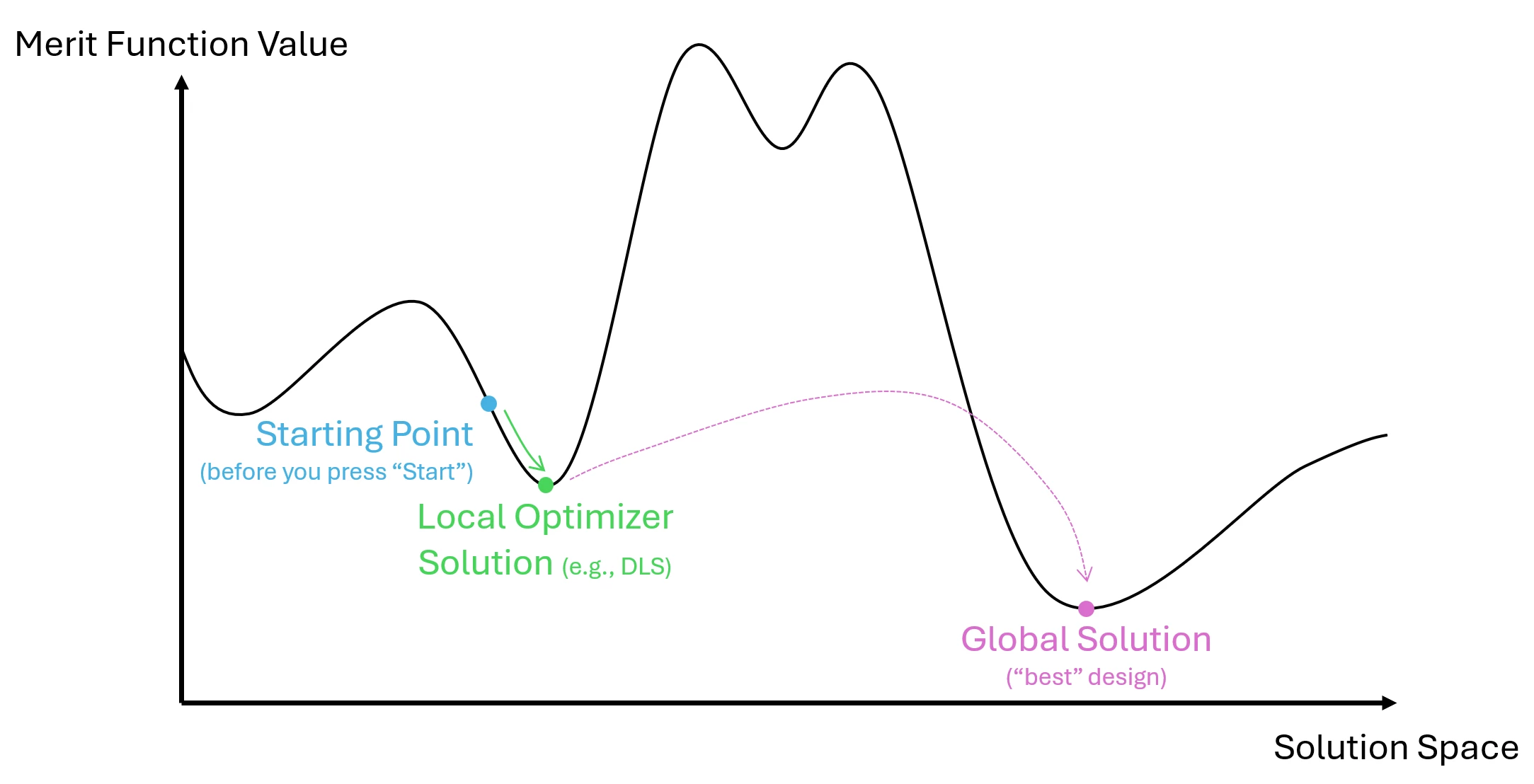
I tried to illustrate my point with the diagram below.

This is a plot of the Merit Function value in 1D (in practice it has a lot more dimension, but it helps understand). The role of the optimizer is to find the solution that has the lowest Merit Function value.

The blue dot is your starting design. As a side note: if you know what you are doing, you can get it close to a minimum already, which will help the optimizer (this is the skill that optical designers have). When you run your local (DLS) optimizer, it looks at the slope of the curve, and follows it to the minimum. However, once it reaches this minimum, it gets stuck there because it only knows to “follow down the slope”. That’s also why it stops at the green dot. Obviously, you might not be happy with the design when it stops, and perhaps there’s another minimum elsewhere that would have an even lower Merit Function, such as the pink dot. To get there, you either have to modify the starting design, using as much prior knowledge as possible. Or you try to use a Global optimizer, such as Global Search or Hammer Current.

The difference between the two is that Hammer will try to make small “jumps” from your local minimum, and it increases the size of the jump over time to find new solutions. Global Search is based on evolutionary algorithm and will change random variables to random values to get you out of the local minima. Due to the unpredictability of where it’ll land, it saves a number of “valid” designs.

I hope this helps.

Take care,


David


  • Author
  • Monochrome
  • October 12, 2026

Thank you so much ​@David.Nguyen! Your explanation was really useful and it helped me to better understand the different approaches.